
- Executors
-
Learn
Learn Python Runnable examples, NumPy, pandas, and more Learn AI / Machine LearningNeural networks, ML and LLMs from scratch Learn C & C++ Pointers, memory, STL, and modern C++ Learn C#C# basics, OOP, LINQ, async, and .NET exercises Learn MatplotlibLine, bar, scatter and pie charts with live visualizers Learn RustOwnership, traits, error handling, and threads Learn GoSlices, interfaces, goroutines, and channels Python Algorithms Search, sorting, recursion, and visualizers O(n) C & C++ Algorithms Compare algorithms implemented in C and C++ Coding for Kids Learn to code by playing! AP CSPPseudocode runner, practice test and score calculator
- QuizzesNew
- ChallengesNew
- For TeachersNew
- Updates
- Buy me a coffee





Updates Tagged with: NEW LOOK
Stay informed with the latest improvements, new tools, feature releases, and platform announcements from CodeUtility.
A new look for CodeUtility
CodeUtility has worn the same look for a long time. Today it gets a fresh design across every page, a contrast control in the header, and this is only the start.
CodeUtility has worn the same look for a long time. It served us well, but the site has grown a lot since then: editors, lessons, challenges, classrooms and dozens of tools. It was time for a new look that fits all of it.
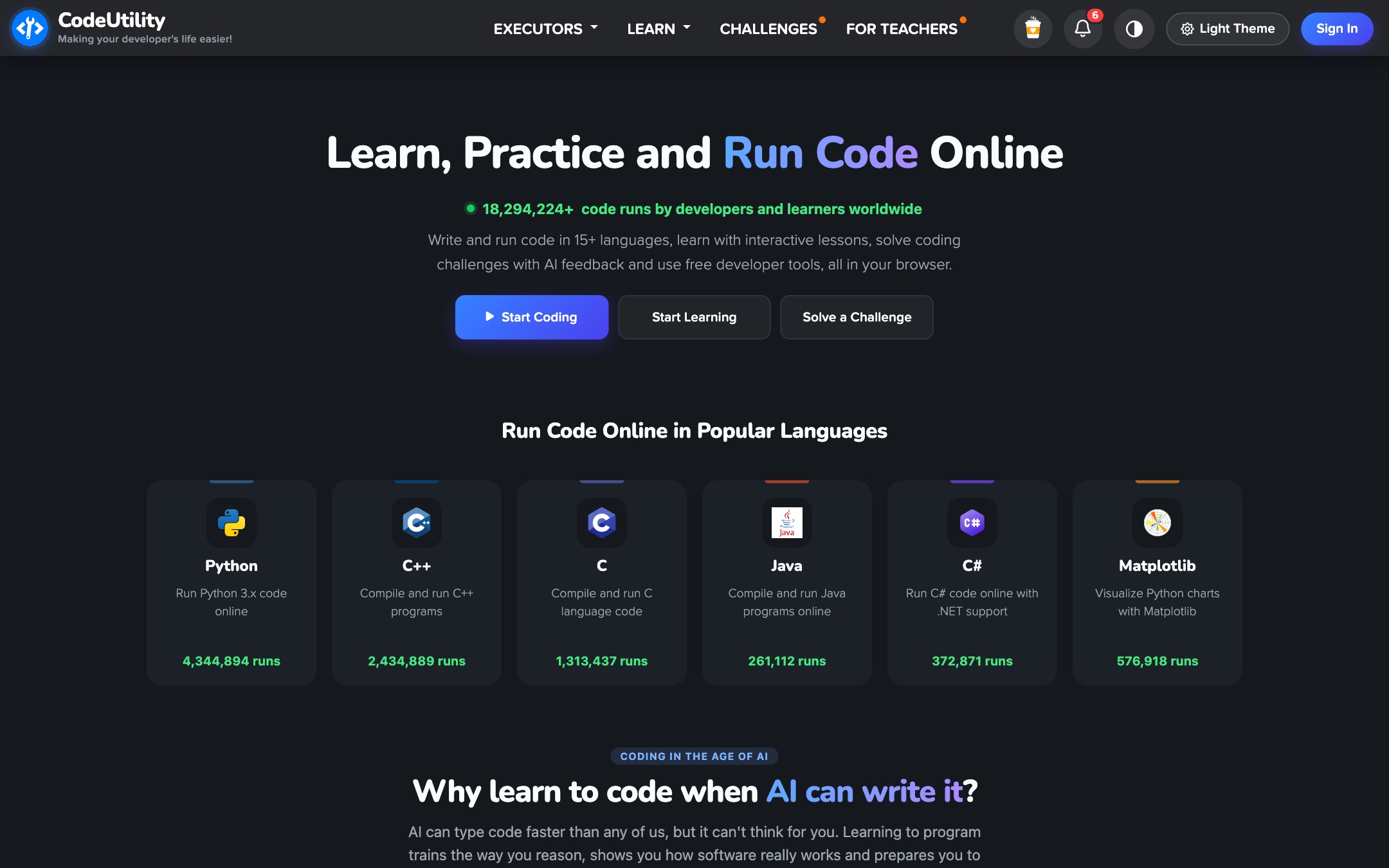
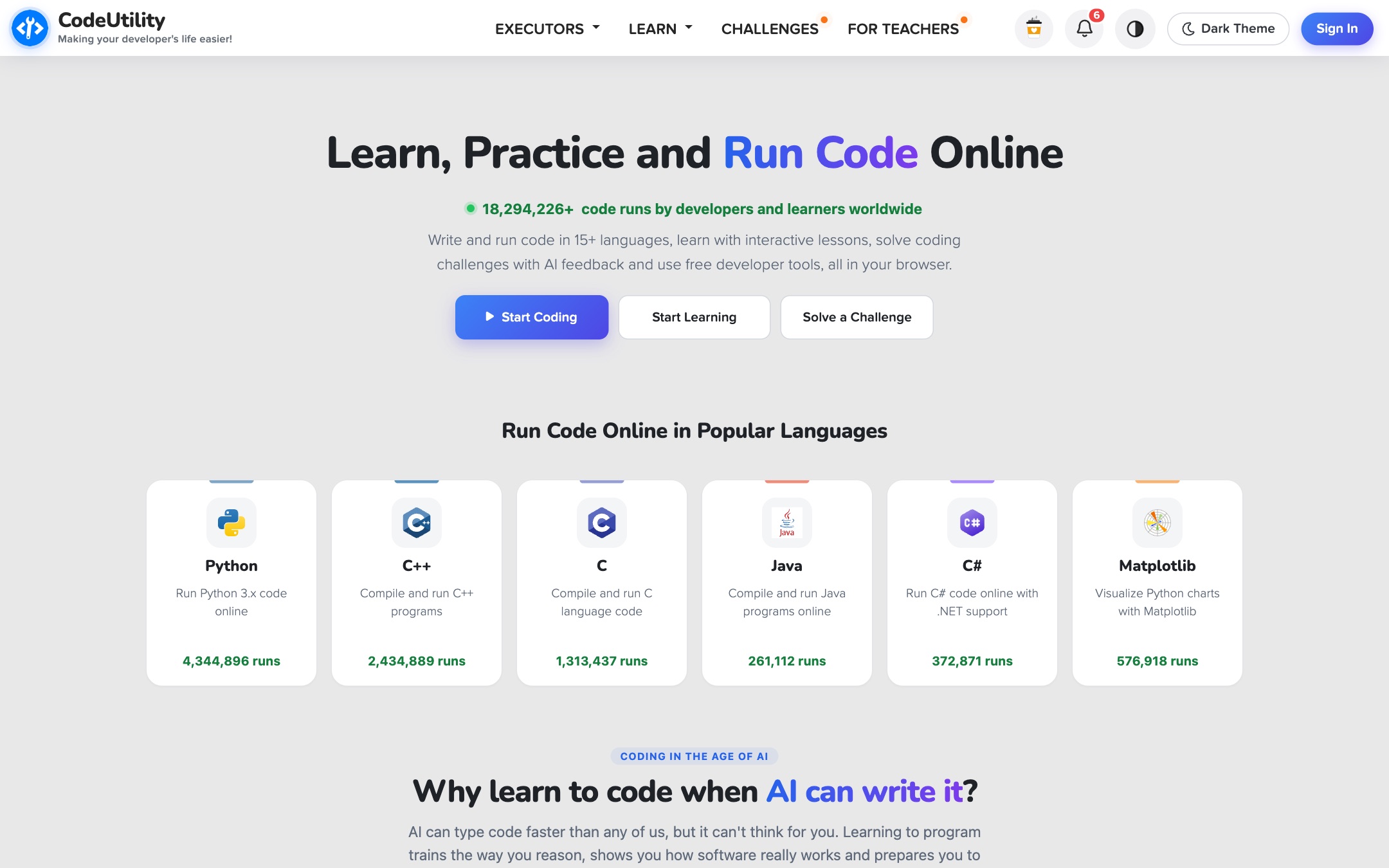
What's new
- A cleaner design on every page: calmer colors, rounder cards, clearer headings and more space to breathe.
- Consistent buttons, menus and fields, so every part of the site works the same way.
- Redesigned tool pages: the editors match the page, options sit in tidy rows and dropdowns now let you search.
- A refreshed light theme that is just as polished as the dark one.
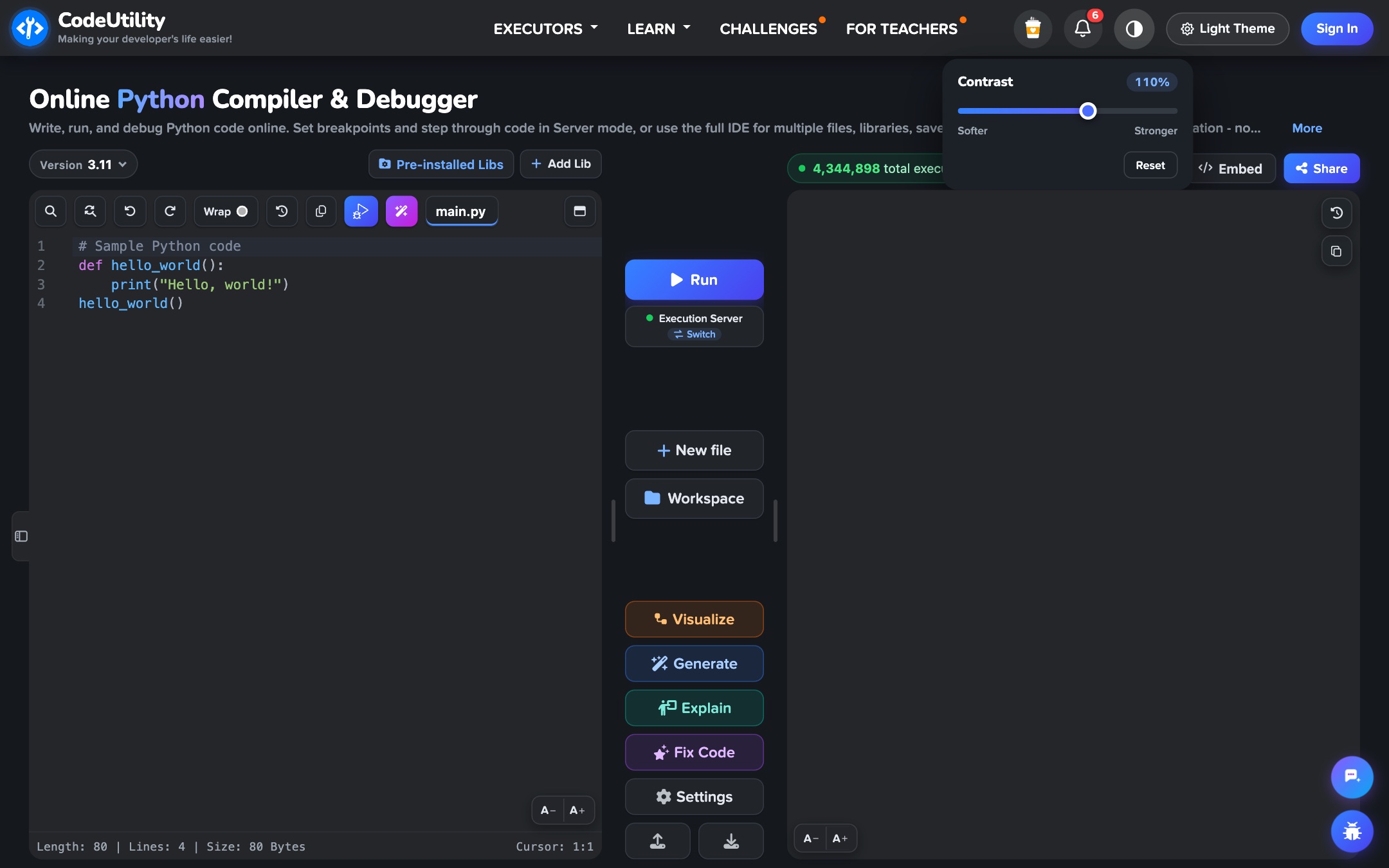
New: adjust the contrast
Some people find dark pages too harsh, others find them too faint. Click the round half-filled circle button in the header to open the Contrast panel, then drag the slider from Softer (80%) to Stronger (130%). The whole page changes as you drag, and Reset brings back the default.
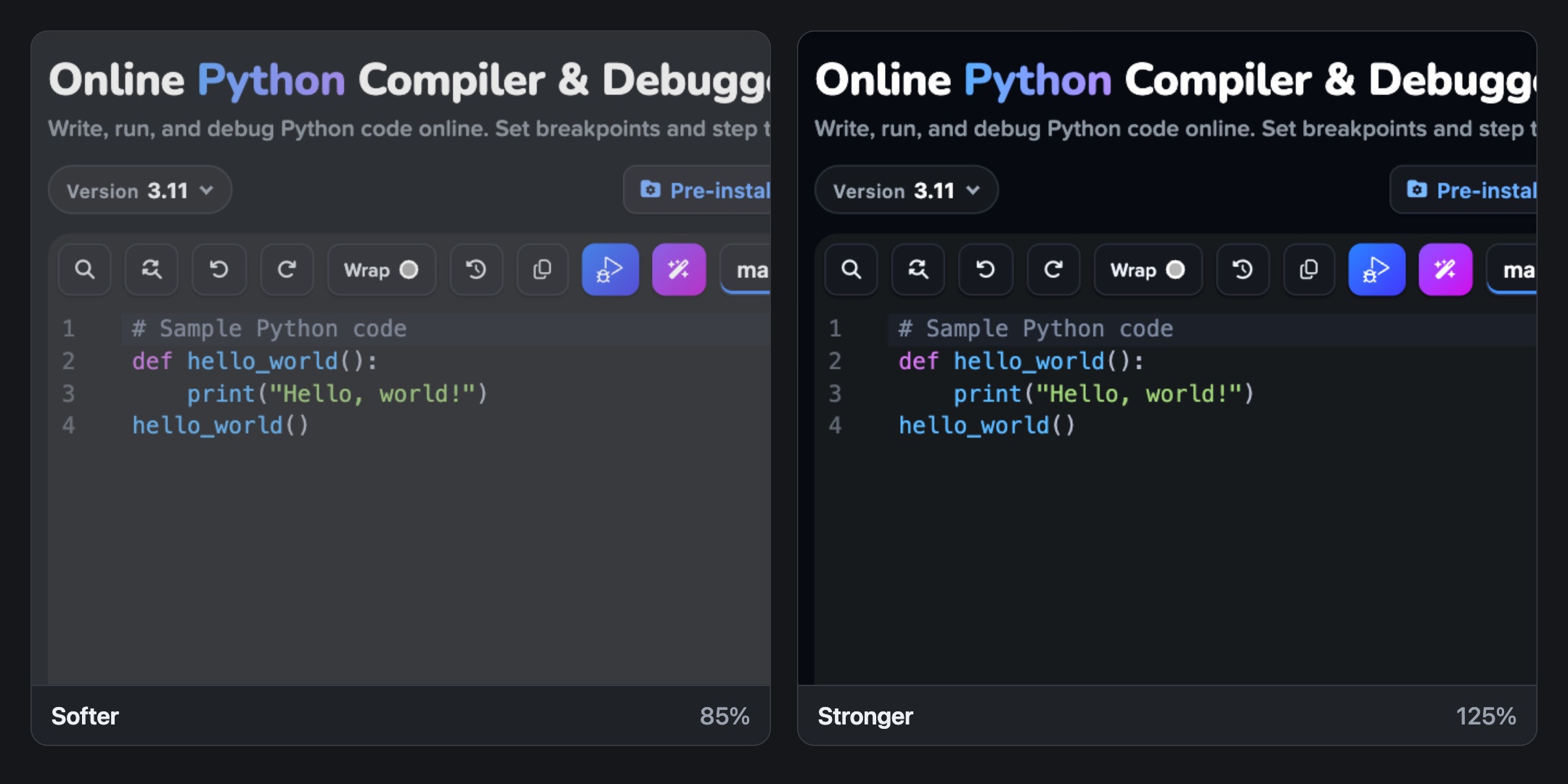
Each theme keeps its own value (110% for dark and 100% for light by default), so switching themes switches the contrast too. If you are signed in, your choice is saved to your account and follows you to every device; otherwise it is remembered in this browser.
More to come
This new look is the first step. More improvements and new features are on the way in the coming weeks. If something looks off or you have an idea, tell us with the bug button at the bottom right of any page or through the Contact page. Thank you for coding with us!