
- Executors
-
Learn
Learn Python Runnable examples, NumPy, pandas, and more Learn AI / Machine LearningNeural networks, ML and LLMs from scratch Learn C & C++ Pointers, memory, STL, and modern C++ Learn C#C# basics, OOP, LINQ, async, and .NET exercises Learn MatplotlibLine, bar, scatter and pie charts with live visualizers Learn RustOwnership, traits, error handling, and threads Learn GoSlices, interfaces, goroutines, and channels Python Algorithms Search, sorting, recursion, and visualizers O(n) C & C++ Algorithms Compare algorithms implemented in C and C++ Coding for Kids Learn to code by playing! AP CSPPseudocode runner, practice test and score calculator
- QuizzesNew
- ChallengesNew
- For TeachersNew
- Updates
- Buy me a coffee





Updates Tagged with: RELEASE
Stay informed with the latest improvements, new tools, feature releases, and platform announcements from CodeUtility.
New: Sign in with Microsoft or with a code sent by email
Two new ways to sign in: your Microsoft account (personal, school or work) or a 6-digit code sent to your email. The email code is made for school labs and other shared computers.
You can now sign in to CodeUtility in two new ways: with your Microsoft account, or with a 6-digit code sent to your email. Google and GitHub work as before.
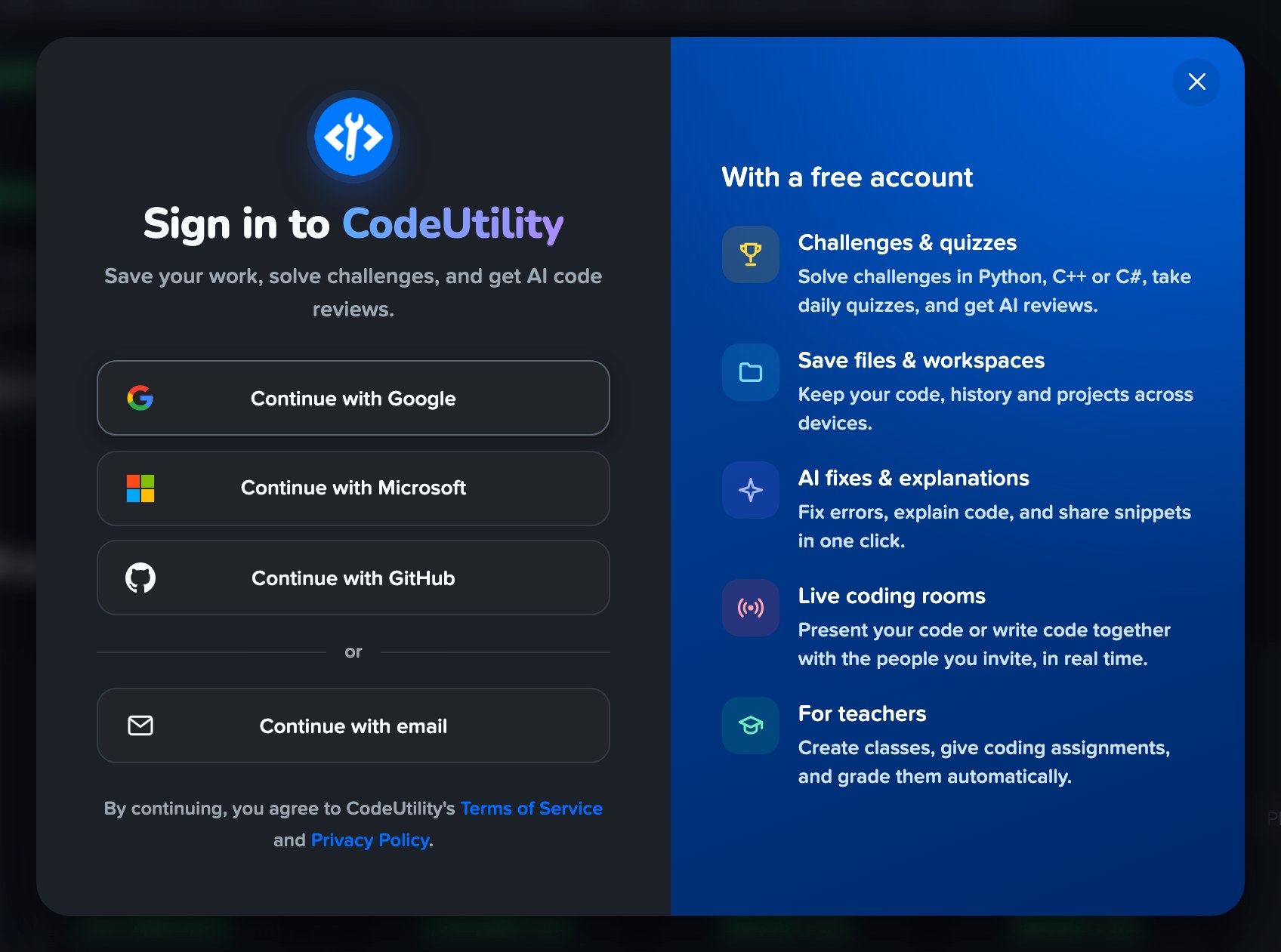
Sign in with Microsoft
- Personal, school or work accounts: Outlook and Hotmail accounts, and the Microsoft 365 accounts many schools give their students.
- You choose the account every time, so a shared computer never signs you in as the last person who used it.
- If you already have a CodeUtility account with the same email, you sign in to that account.
Sign in with an email code
Type your email and we send you a 6-digit code. Enter it and you are in. There is no password to remember, and nothing stays signed in to Google or GitHub in the browser.
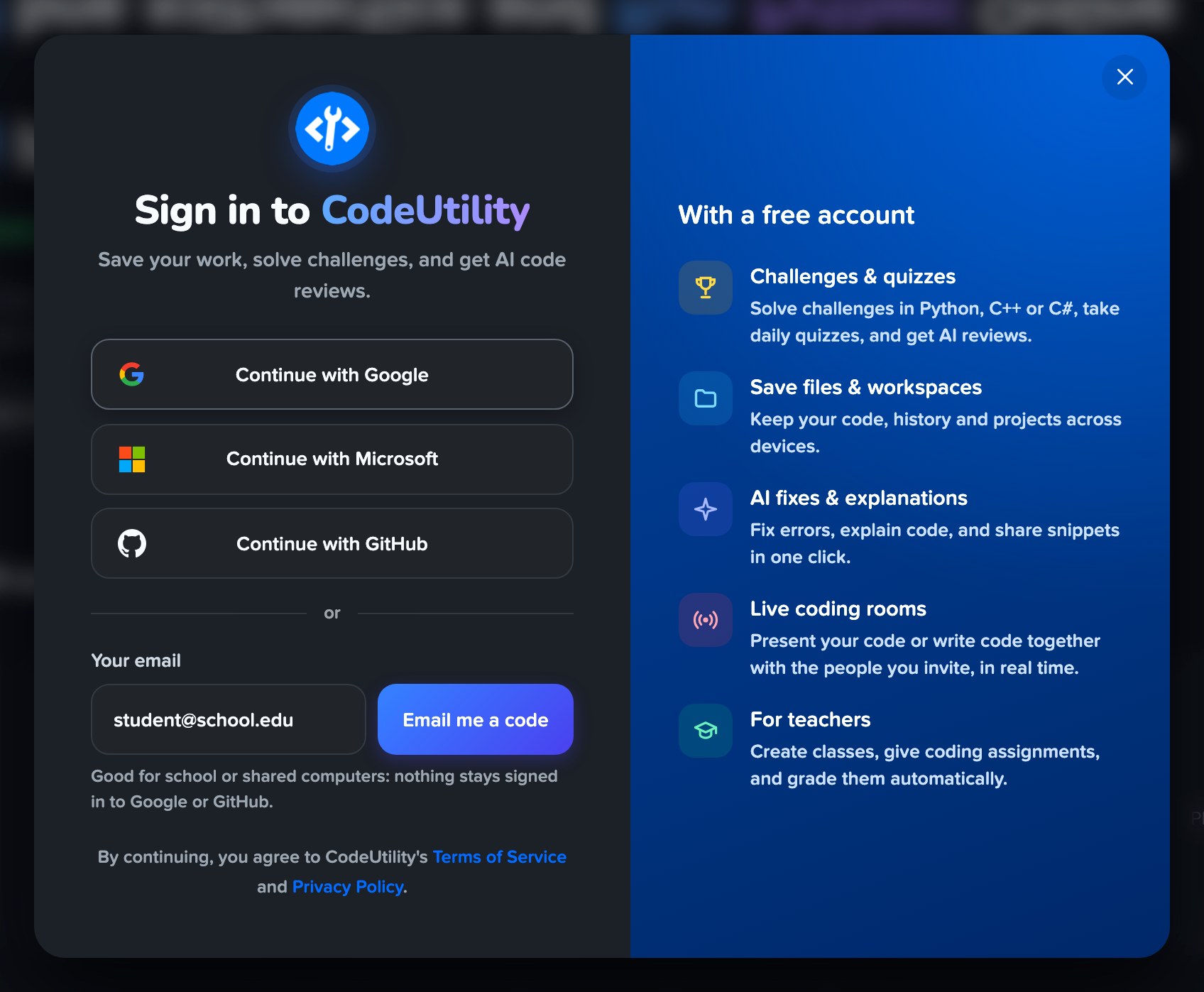
- The code works once, for 10 minutes.
- A new email gets a free account. An email that already has an account signs in to it.
- You can read the code on your phone and type it on the lab computer.
Made for school labs and shared computers
Many students code on school, lab or library computers. Signing in to Google there also signs you in to Gmail and Drive in that browser, and signing out of CodeUtility does not sign you out of Google. With the email code, nothing personal stays behind. And when you sign out after using Google, GitHub or Microsoft, CodeUtility now reminds you to sign out of that account too, with a link.
Also in this update
- Fewer failed sign-ins: we fixed a problem that sent some people back to the sign-in window after they had signed in with Google, GitHub or Yandex.
- The sign-in window now also shows challenges and quizzes, live coding rooms and tools for teachers.
Teachers: students without a Google account can now join your classes with a school Microsoft account or any email address.
Try it: click Sign in at the top of any page.
New: Quizzes for Python, JavaScript, Java, C, SQL, HTML & CSS and AI
250 short multiple-choice quizzes with 2,500 questions on real code. Every answer is explained, and you can play for free without signing in.
Today we are launching Quizzes: 250 short multiple-choice quizzes with 2,500 questions across 7 topics: Python, JavaScript, Java, C, SQL, HTML & CSS and AI. They are free, and you can play without signing in.
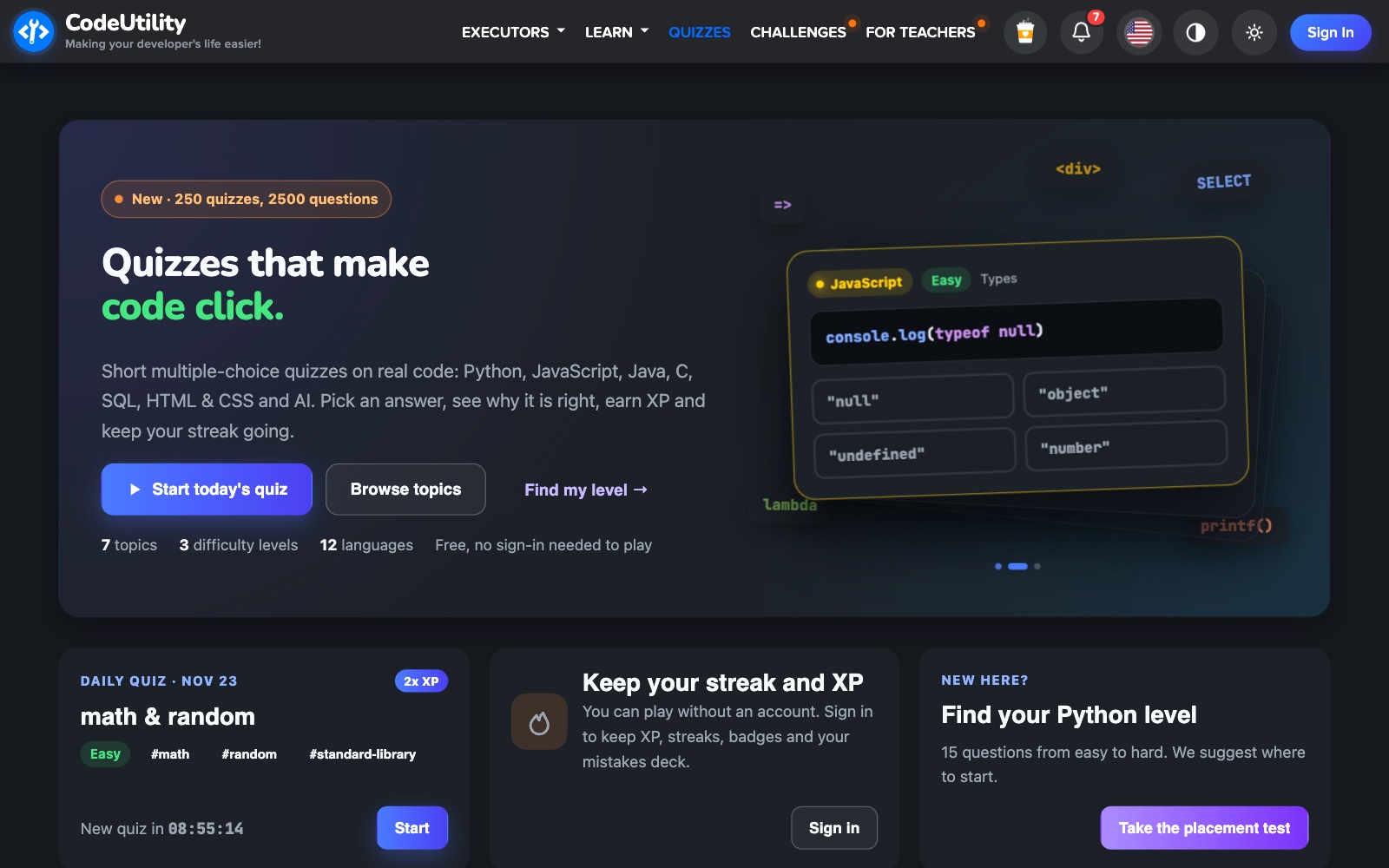
How it works
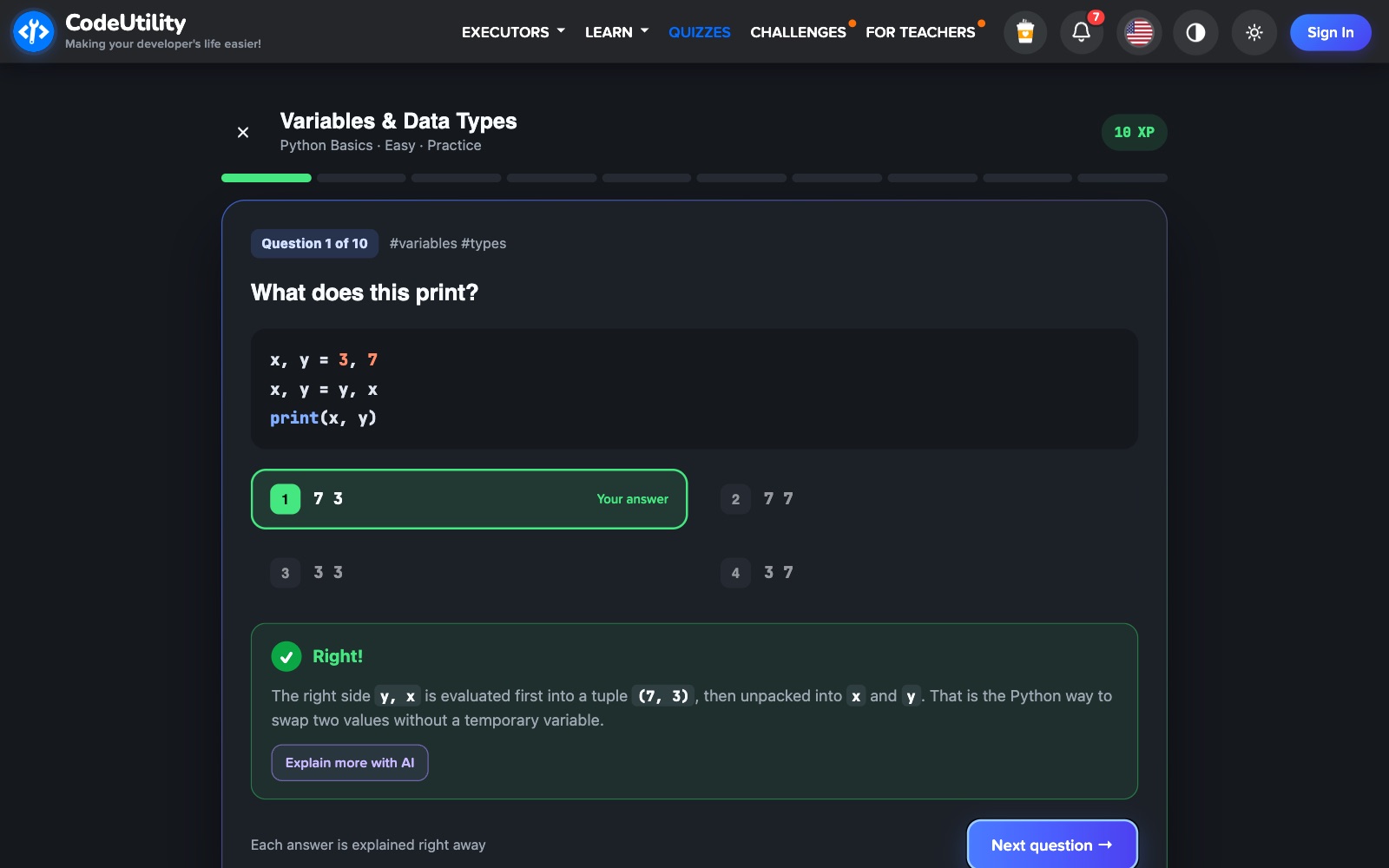
- Short quizzes on real code: 10 questions each, from easy to hard. Many ask what a snippet prints or why it fails.
- Every answer is explained right after you pick it, and Explain more with AI goes deeper when you need it.
- Keys 1 to 4 pick an answer and Enter moves on, so a quiz takes only a few minutes.
Ways to play
- Practice: no timer, and you see why after each answer.
- Timed: 20 seconds a question for 1.5x XP. It counts for the leaderboard.
- Daily quiz: a new quiz every day for 2x XP.
- Placement test: 15 questions from easy to hard suggest where to start.
- Category exams: 20 mixed questions with no hints. Pass with 80% to earn a certificate.
- Mistakes review: questions you missed come back after 1, 3 and 7 days until you know them.
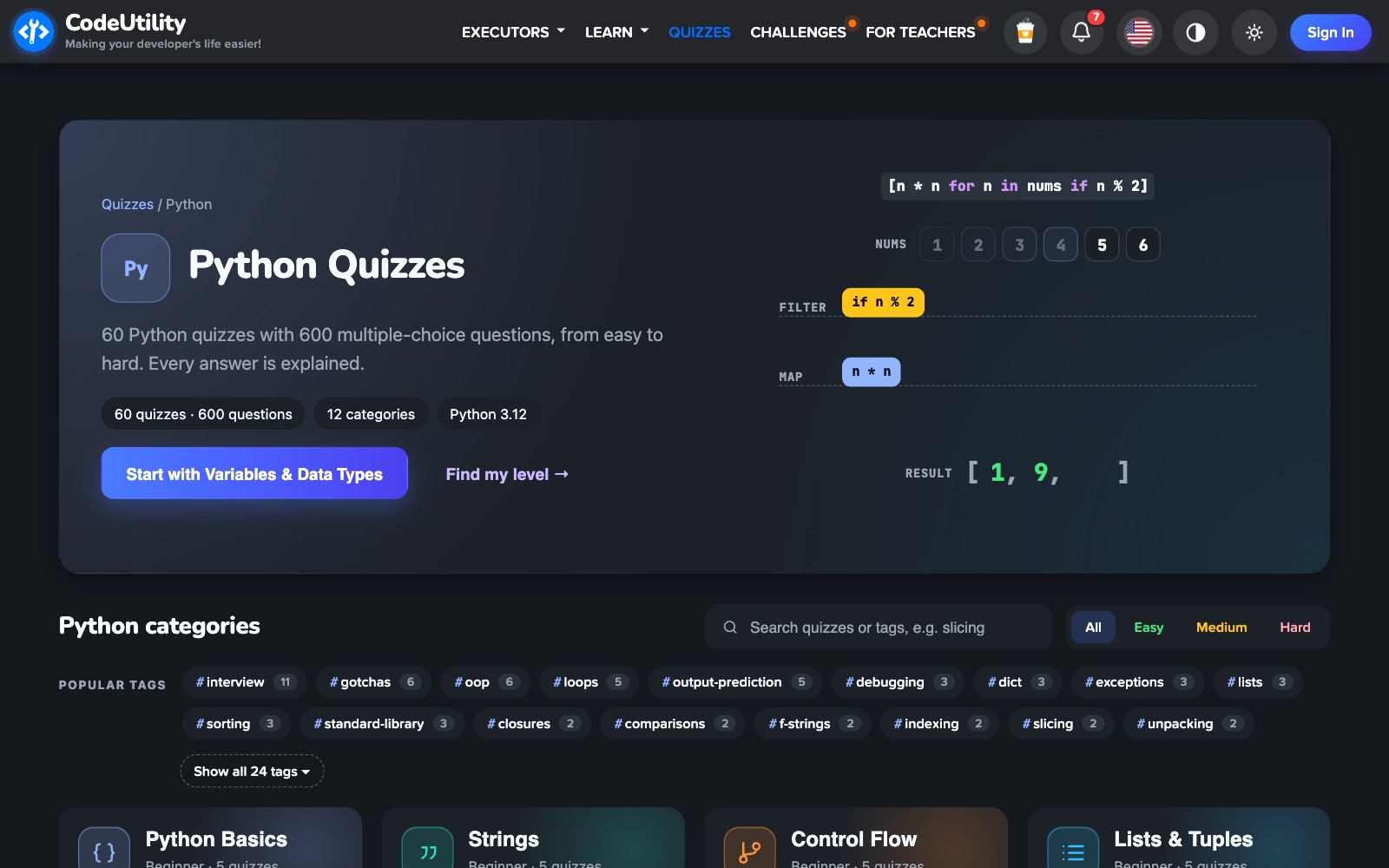
Sign in to keep your progress: your XP, daily streak, weekly goal, saved questions and certificates are all in My Quizzes.
Try one now at codeutility.io/quizzes.
A new look for CodeUtility
CodeUtility has worn the same look for a long time. Today it gets a fresh design across every page, a contrast control in the header, and this is only the start.
CodeUtility has worn the same look for a long time. It served us well, but the site has grown a lot since then: editors, lessons, challenges, classrooms and dozens of tools. It was time for a new look that fits all of it.
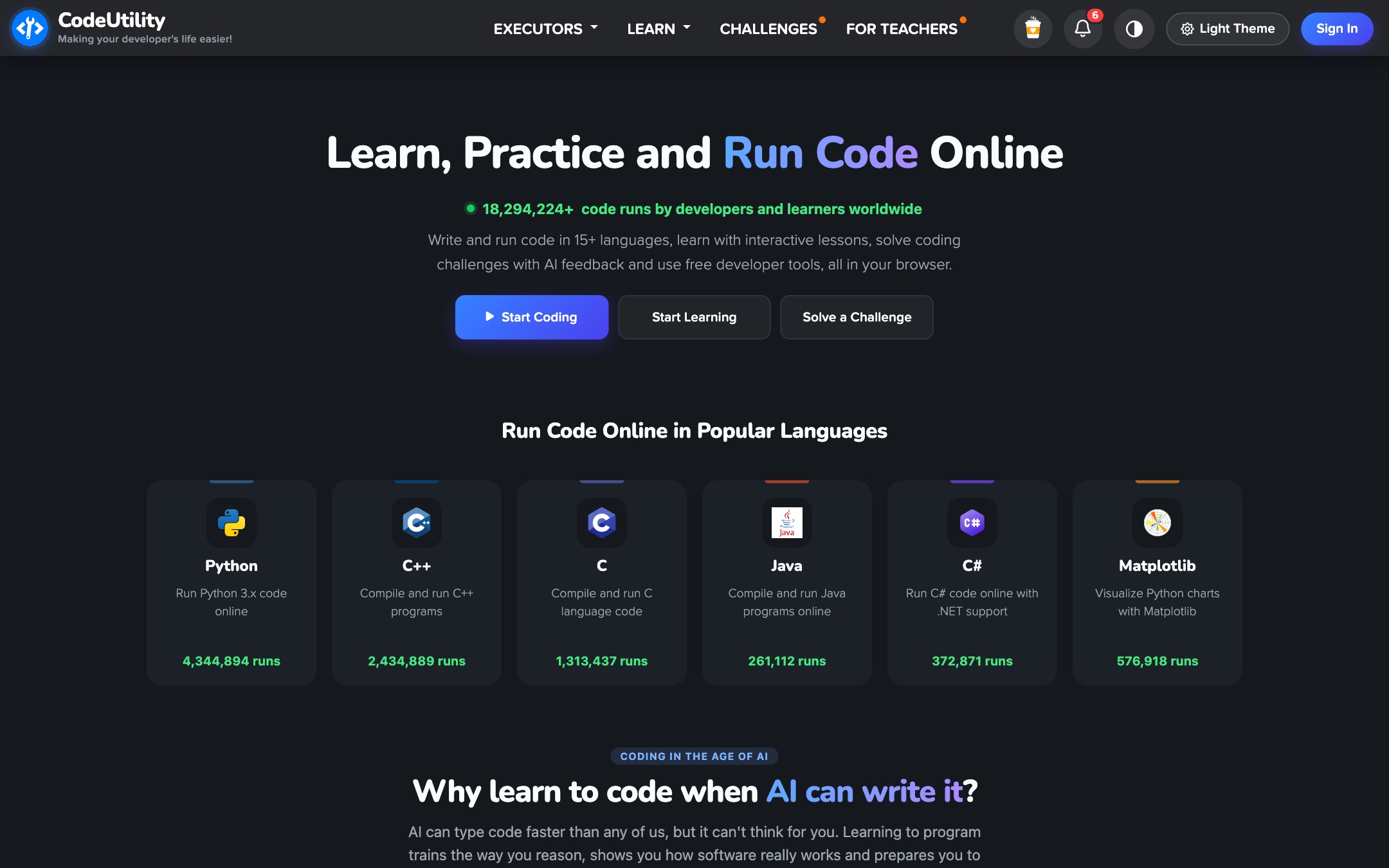
What's new
- A cleaner design on every page: calmer colors, rounder cards, clearer headings and more space to breathe.
- Consistent buttons, menus and fields, so every part of the site works the same way.
- Redesigned tool pages: the editors match the page, options sit in tidy rows and dropdowns now let you search.
- A refreshed light theme that is just as polished as the dark one.
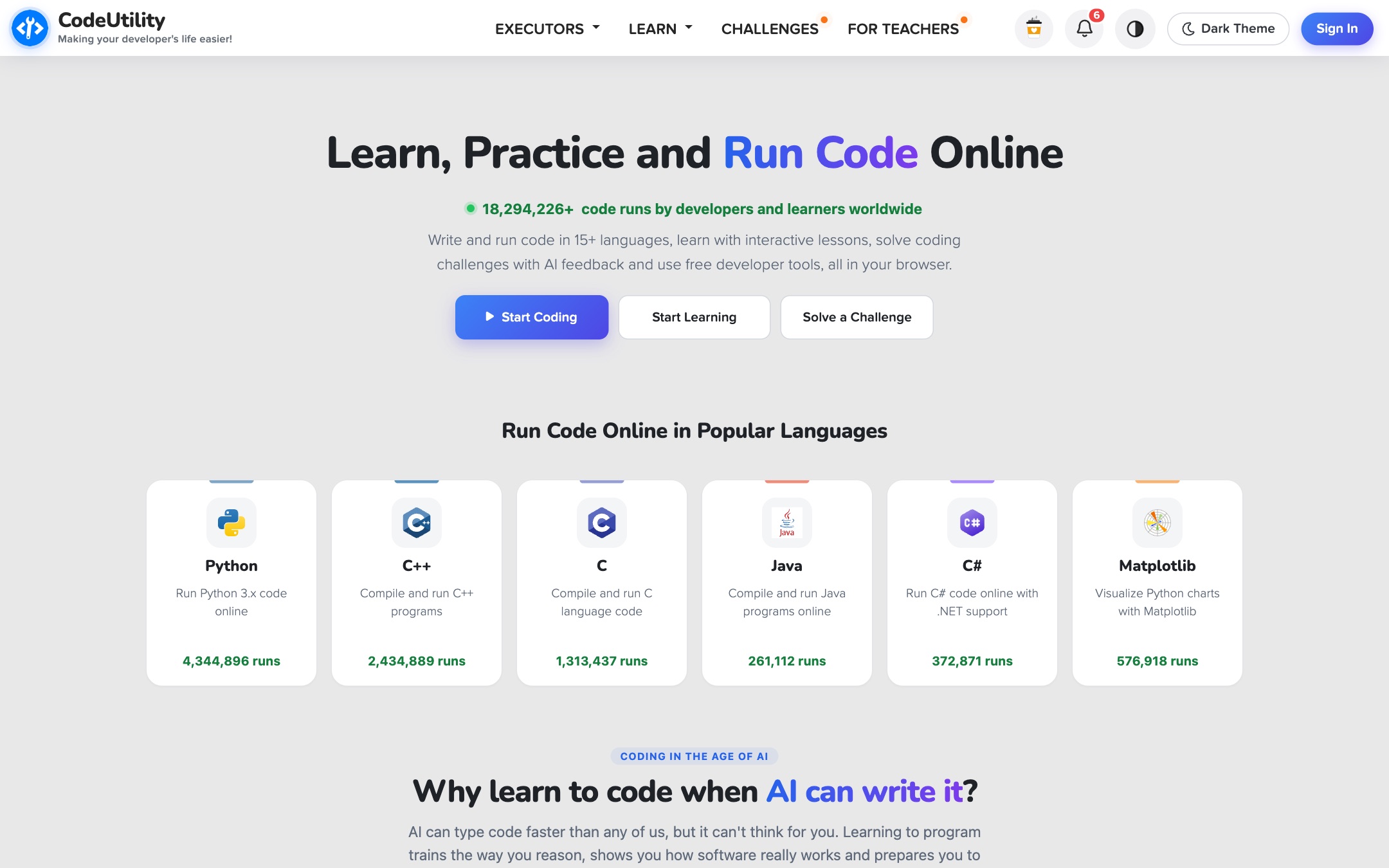
New: adjust the contrast
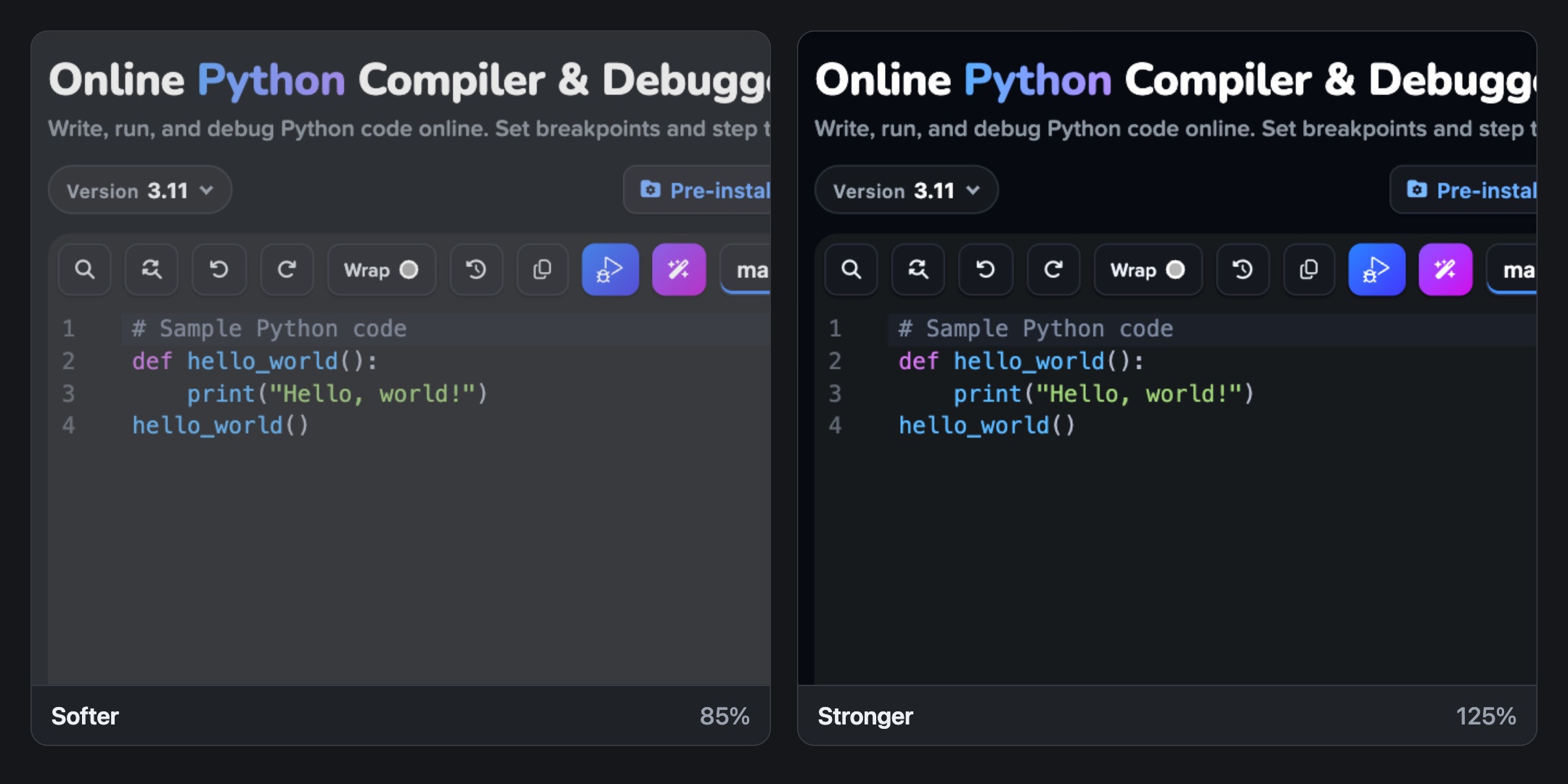
Some people find dark pages too harsh, others find them too faint. Click the round half-filled circle button in the header to open the Contrast panel, then drag the slider from Softer (80%) to Stronger (130%). The whole page changes as you drag, and Reset brings back the default.
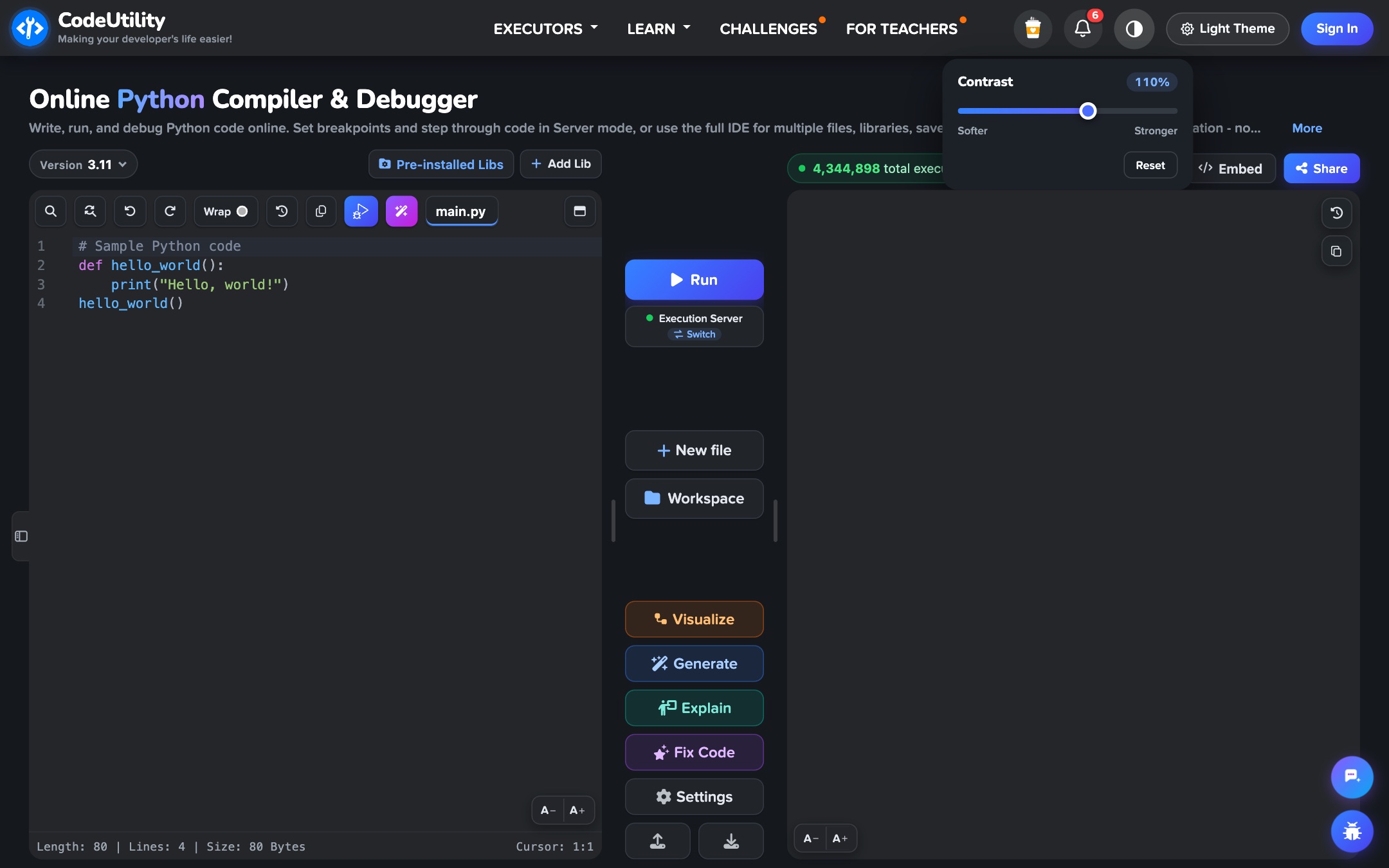
Each theme keeps its own value (110% for dark and 100% for light by default), so switching themes switches the contrast too. If you are signed in, your choice is saved to your account and follows you to every device; otherwise it is remembered in this browser.
More to come
This new look is the first step. More improvements and new features are on the way in the coming weeks. If something looks off or you have an idea, tell us with the bug button at the bottom right of any page or through the Contact page. Thank you for coding with us!
✅ Major CodeUtility Upgrade Is Complete
The new lightweight IDE experience is live across our language executors, with persistent workspaces, libraries, sharing, collaboration, Browser Python, and extensive usability improvements.
The scheduled major upgrade is complete and CodeUtility is back online. This release turns our executors into lightweight, multi-file development environments while keeping simple code execution fast and approachable.
- Multi-file workspaces with auto-save, tabs, folders, upload, download, rename, move, history, quotas, and safe file limits.
- Improved execution and file servers, isolated runs, runtime-specific pre-installed and account libraries, dependency caching, and generated-file access.
- Minimal and Advanced IDE modes, responsive layouts, editor themes and settings, terminal history, output controls, and optional Browser Python powered by Pyodide.
- Snapshot and live sharing for files, directories, or complete workspaces, with invitations, view/save permissions, activity logs, and preserved library versions.
- Real-time collaboration with chat, presence, mentions, notifications, and shared-editor update awareness.
- Issue reporting, admin visibility and email notifications, spam protection, richer diagnostics, accessibility improvements, and complete UI localization across supported languages.